A quote from one sentence
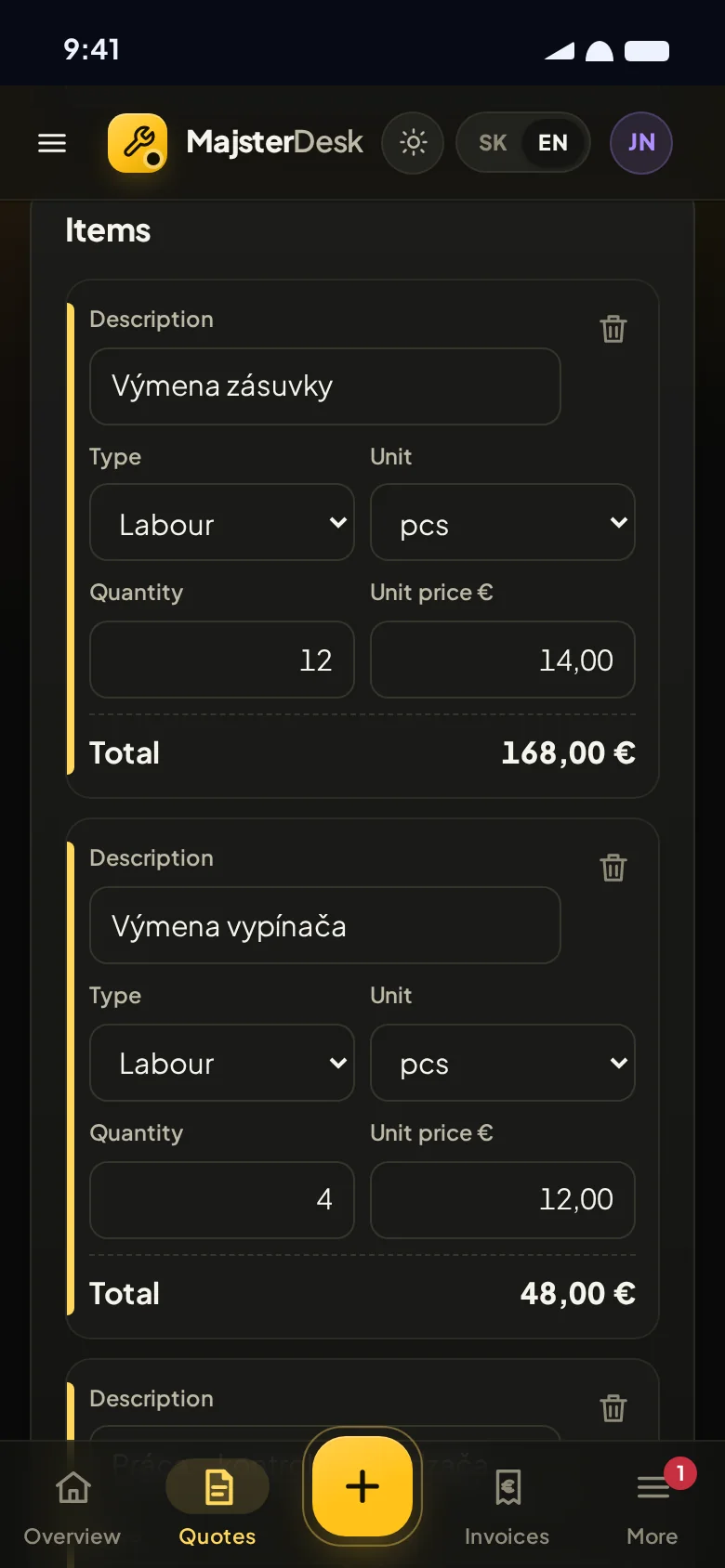
Type or dictate a sentence and MajsterDesk turns it into items using your price list. You just check it.
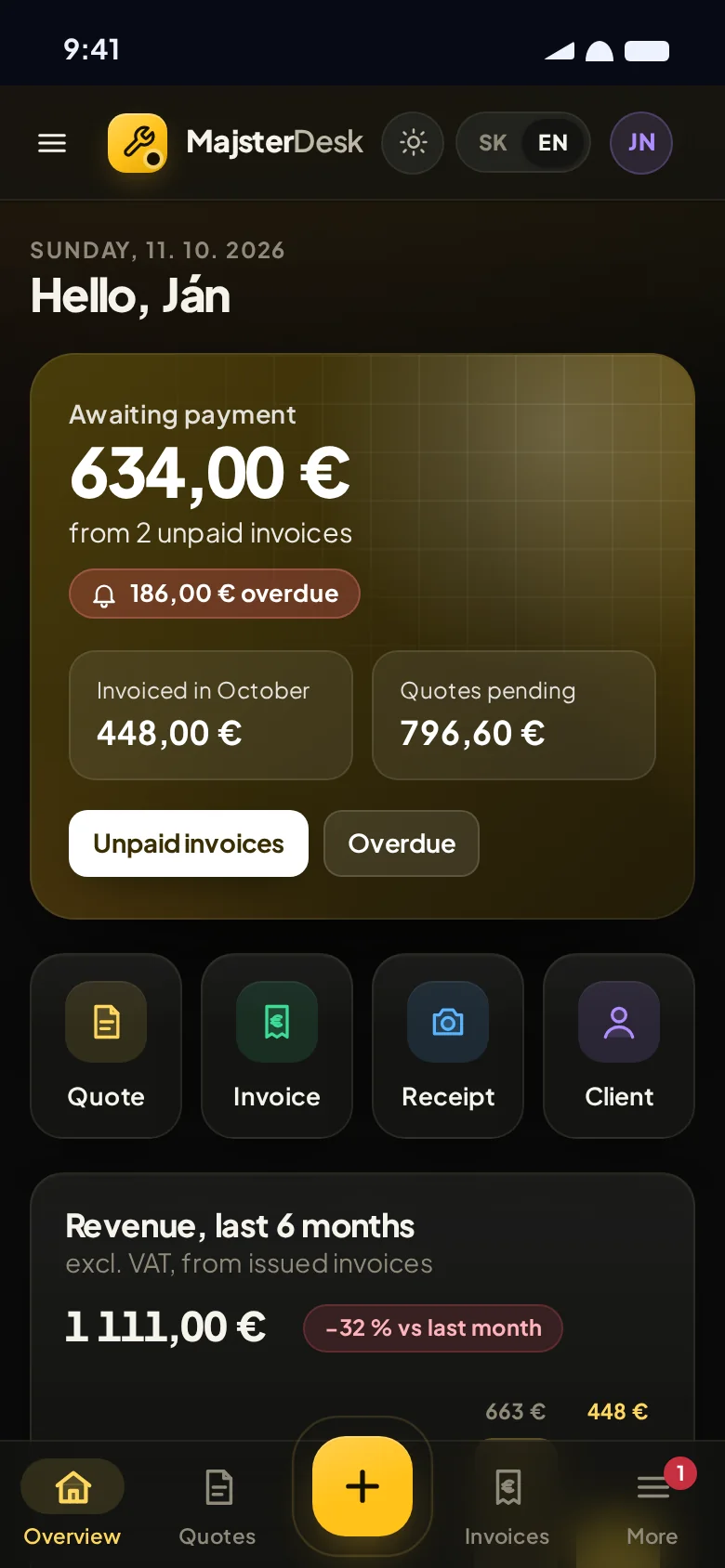
Quotes, invoices with QR payment, receipts and deadlines in one place on your phone. So your evenings belong to you, not to paperwork.
Novák – Nitra
12 sockets, 2 days
materials €180 ???
+ travel
HARDWARE STORE
CYKY cable48.20
Boxes 10×12.90
Sockets 12×107.30
TOTAL€168.40
Van MOT!
12 Oct
INVOICE
Due 13 Oct
The work keeps coming, but so does the paperwork. And you’re carrying everything that needs doing around in your head.
It’s not that you’re disorganised. It’s just too much for one head. MajsterDesk takes some of it off your mind.
How it worksYou write quotes at ten at night because there’s no time during the day.
The job was finished a month ago and you still haven’t sent the invoice.
The client promised to pay “this week”. That was three weeks ago.
Your receipts are in the van, in your jacket, in your wallet and a few in your phone’s photo gallery.
You did plenty of jobs, but you have no idea which ones actually made you money.
VAT, social contributions, MOT, car insurance. You keep it all in your head and hope nothing slips.
A job goes all the way through in one app. You never type anything twice and you always know where things stand.
Type or dictate what needs doing. Items and prices are filled in from your price list. When the client agrees, one tap turns it into a job.
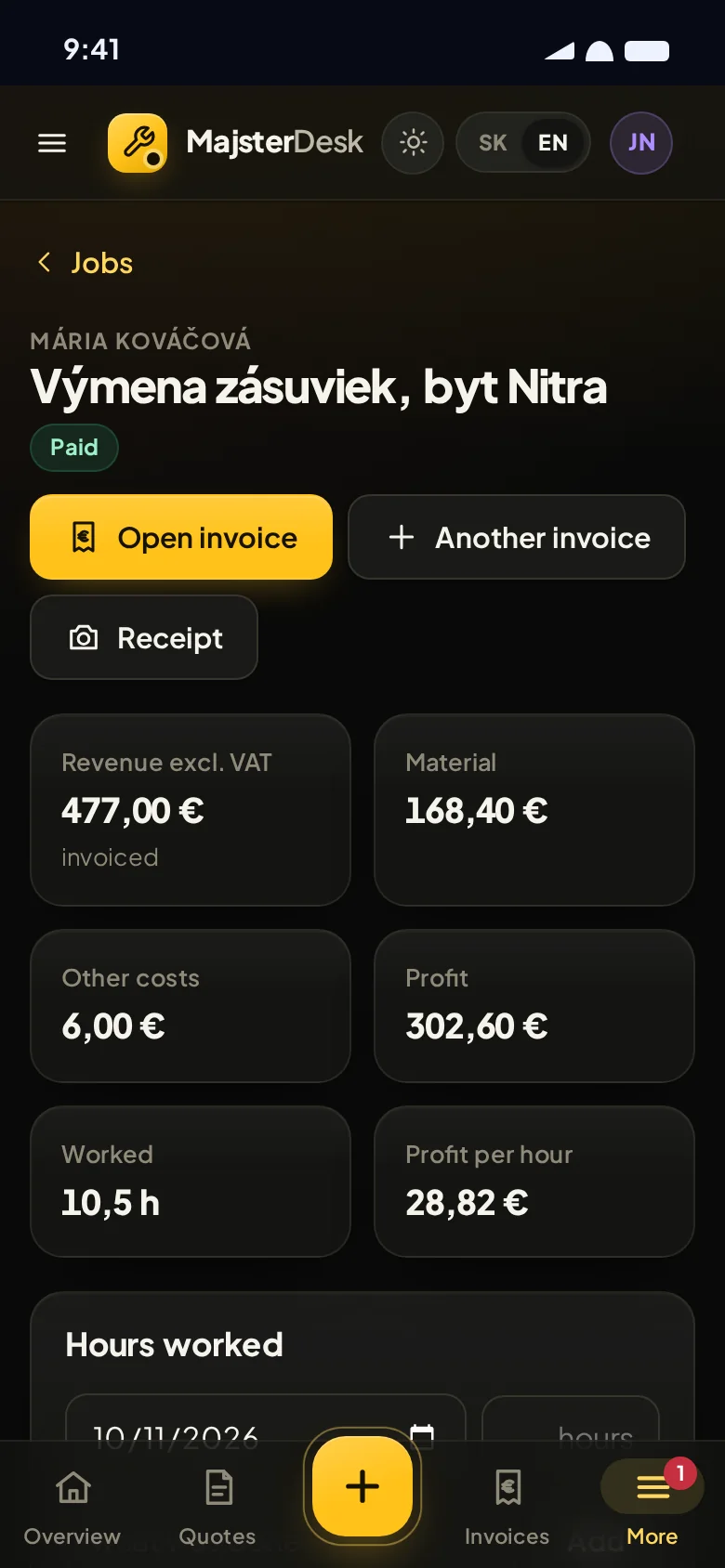
An approved quote becomes a job. You log hours and materials and see what you really earned per hour.
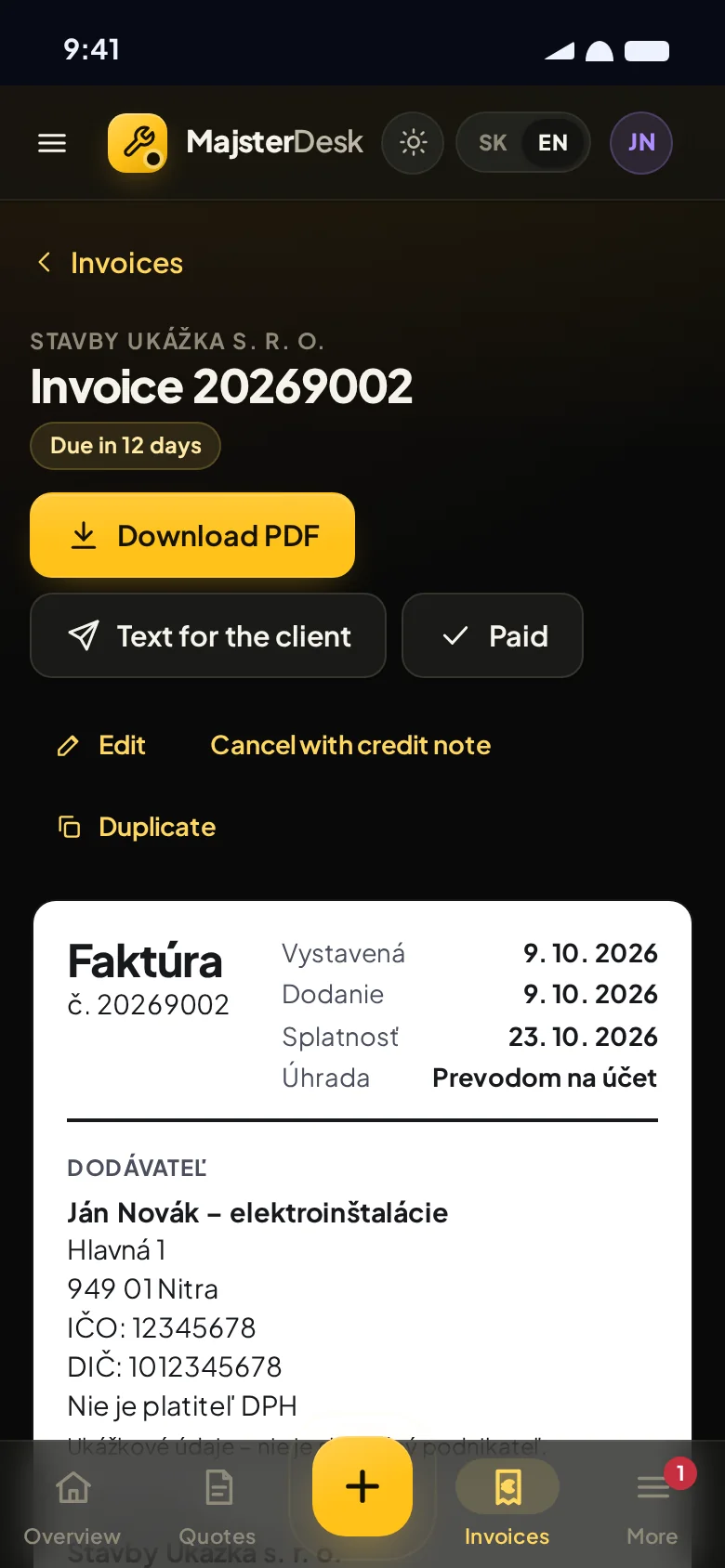
One tap and the invoice is ready, with a PDF and QR payment. The client pays in their banking app without retyping anything.
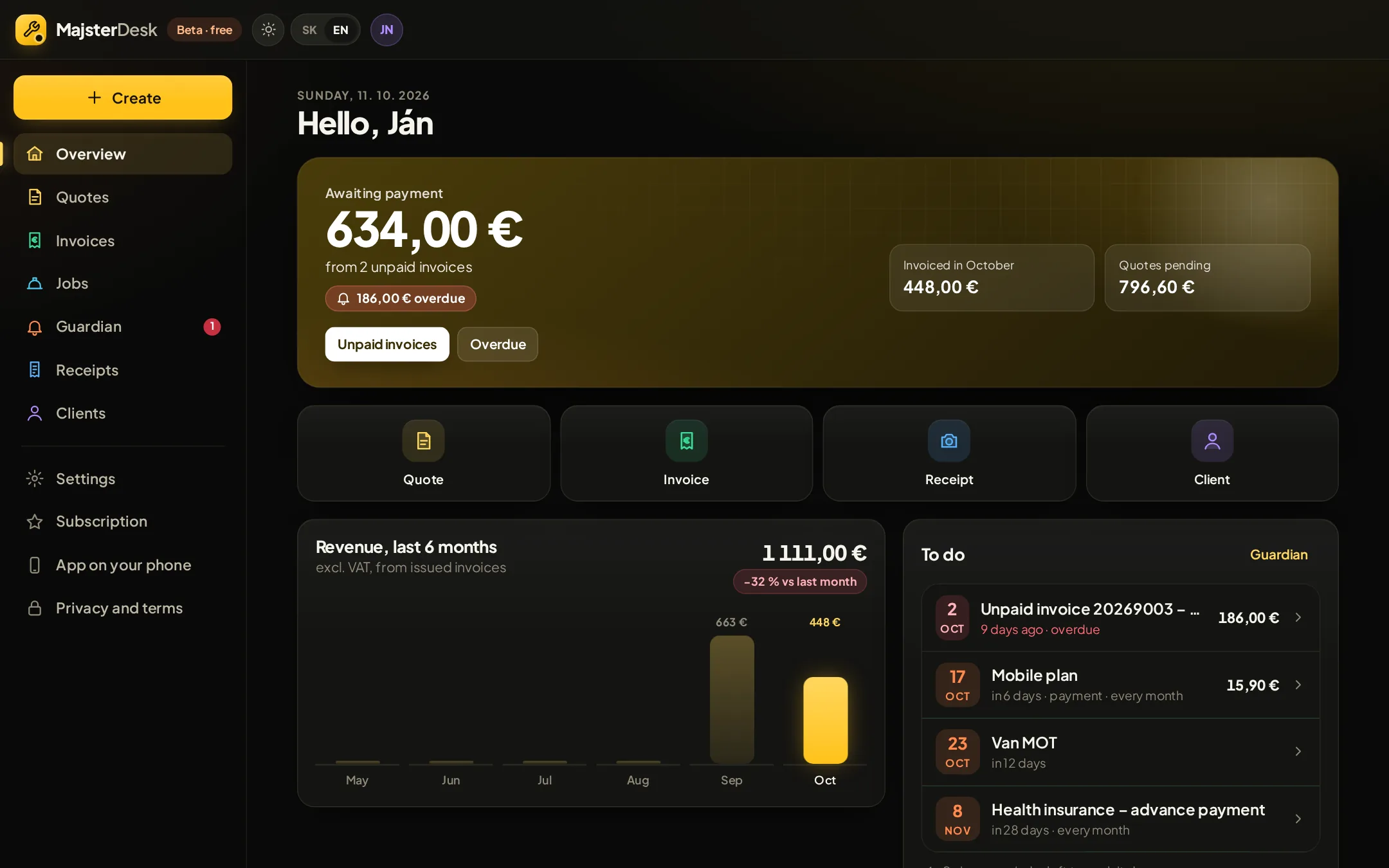
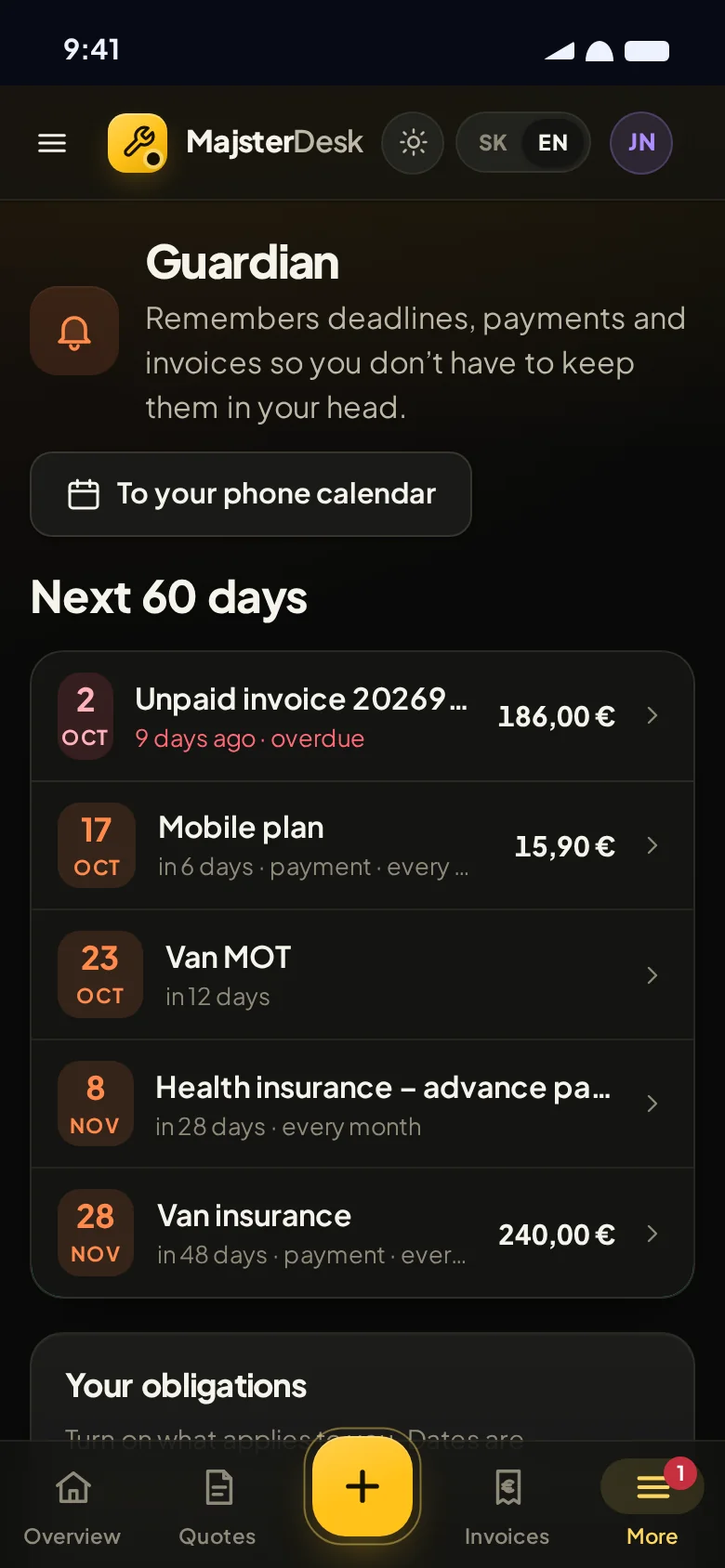
At a glance you see what’s waiting to be paid and what’s overdue. For anyone who hasn’t paid, we prepare a polite reminder.
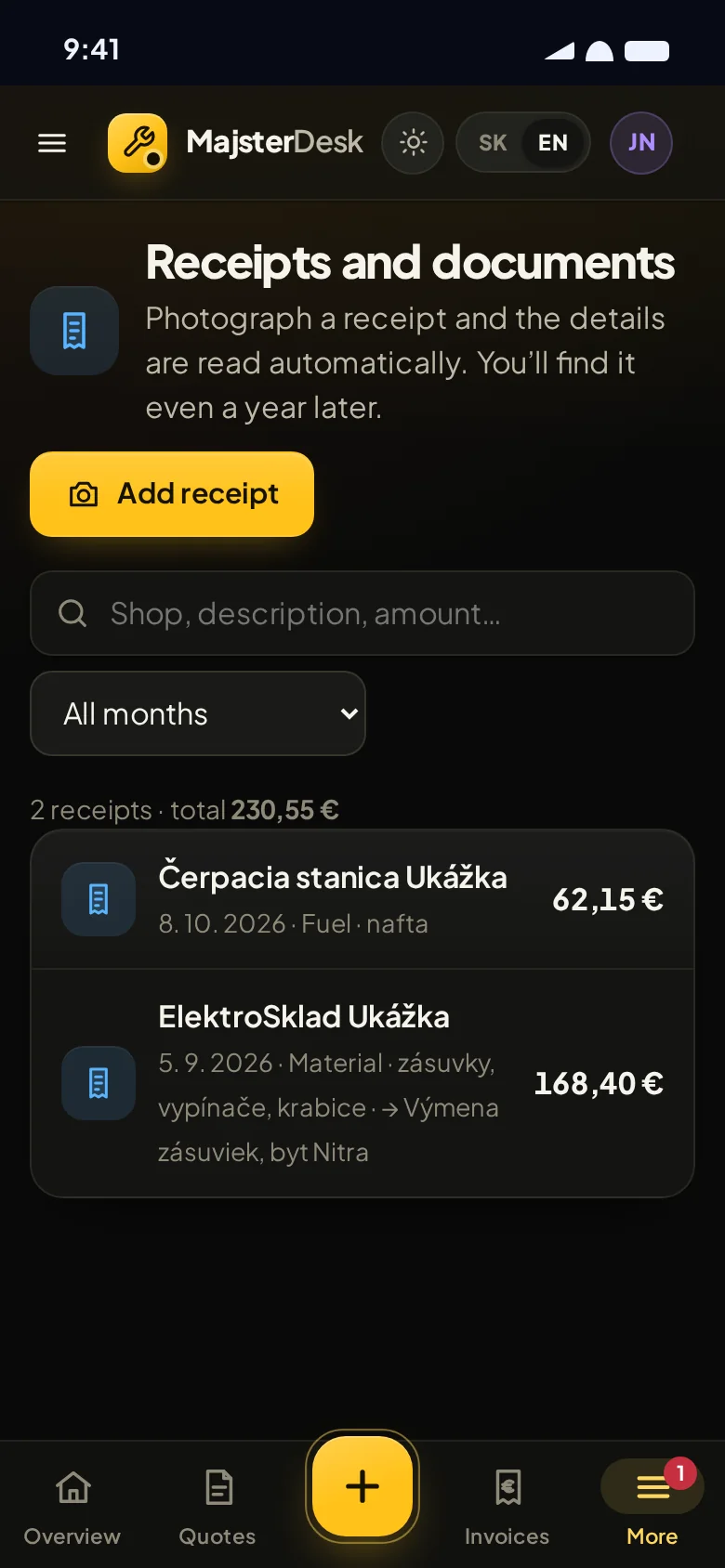
Snap a receipt and file it under a job. Once a month, one tap sends your accountant everything together.
A simplified demo that runs only in your browser. Nothing is sent anywhere, so feel free to play.
Or try one of these sentences:
In the app, AI reads the sentence using your price list and you check the quote before sending it. Here we simulate it with simple rules in your browser, so the demo mainly understands sentences similar to the ones above.
This is exactly how you’ll send quotes and invoices in MajsterDesk, just with your own name, price list and clients.
Create a free accountEverything you need for the paperwork side of your business. Nothing extra to slow you down.
Type or dictate a sentence and MajsterDesk turns it into items using your price list. You just check it.
From an approved quote in one tap. VAT, due date and PDF are done for you. The client scans the QR code in their banking app and retypes nothing.
The biggest job isn’t always the best one. See which work really pays.
Snap a receipt and MajsterDesk pulls out the date, amount and shop. You’ll find it even a year later.
Once a month you tap once and your accountant gets invoices, payments and receipts with photos, all together.
Do everything on your phone, right on site. Open it on a computer too if you like. All you need is a browser, nothing to download from an app store. Add the icon to your home screen and it opens like an app.
Move the numbers to match how many quotes and invoices you usually do. You can adjust the times so they fit you.
minutes
minutes
5 h 46 minyou could save every month
We assume a quote takes about 8 minutes in MajsterDesk and an invoice about 2 minutes, including checking. We count an evening as 2 hours and a working day as 8 hours. Your real saving depends on how you work today.
Guardian
Guardian is a quiet helper in the background. No scare tactics, it just tells you in time what’s coming up. You mark it as done or put it off until tomorrow.
VAT, social contributions, tax return. Pick what applies to you. Guardian tracks your invoice due dates by itself.
Workshop rent, leasing, insurance, phone and Netflix. Enter them once and see what you’re actually paying for.
MOT, car service, tool inspection. One-off or repeating, with a reminder a day, three days or a week before.
For tax, social contribution and insurance deadlines, Guardian is a reminder, not an adviser. We’ll prepare the deadlines according to current rules and keep them updated, but laws change and the exact date also depends on your situation. Always check them with your accountant or on the websites of the Slovak Financial Administration (Finančná správa) and Social Insurance Agency (Sociálna poisťovňa).
You start for free and pick a paid plan only once you see it saves you time.
Founding price for the first 100 customers. You pay €3.90 a month for Pro and €5.90 for Business, and you keep that price for as long as you stay subscribed.
To try it out and for a few jobs a month.
€0
Free, with no time limit.
For a tradesperson who works alone and doesn’t want to keep track of everything in their head.
€5.90/ month
Monthly, no commitment.
Founding price €3.90 / month
When you want an overview of profit and documents.
€9.90/ month
Monthly, no commitment.
Founding price €5.90 / month
Right now every feature is free, no card needed. We’ll introduce paid plans later and the first 100 customers will get the founder price. No commitment, cancel your subscription any time.
Didn’t find your answer? Email us at info@majsterdesk.sk.
Click Create account and enter an email and password. The app walks you through the setup and you’ll make your first quote in a few minutes. Everything is free right now.
When we introduce paid plans, the first 100 customers will pay €3.90 instead of €5.90 a month for Pro and €5.90 instead of €9.90 for Business. They keep that price for as long as they use the subscription. Everything is free right now.
No. If you can send a text message, you can use MajsterDesk. The first time you open it, the app walks you through the setup and you’ll make your first quote in a few minutes.
No. You can do everything on your phone. If you like, you can also open MajsterDesk on a computer or tablet, all you need is a browser.
Yes, MajsterDesk is made mainly for phones. It works in the browser on Android and iPhone, so there’s nothing to install. You can add an icon to your home screen and open it like a normal app.
We’re building MajsterDesk so that the connection is always encrypted, data is backed up regularly, and only you and the people you choose can access your quotes, invoices and receipts. We never sell your data.
In the app you’ll keep data about your clients. We’ll only use it so you can send them quotes, invoices and reminders. You are responsible for your clients’ data and we process it on your behalf under a data processing agreement that we sign with you when you register. You’ll be able to download or delete your data at any time.
How we handle data is explained in our Privacy policy.
Yes. Once a month, one tap sends them the papers: invoices, payments and receipts with photos. They don’t need to learn anything; they get everything neatly together. Separate access for your accountant and other people in the Business plan is coming.
Yes, there will be no minimum term. You cancel in the settings, the period you’ve paid for runs out and then you move to the free Start plan. You’ll always be able to download your data.
Yes, and for non-payers too. During setup you choose whether you’re a VAT payer. If you are, quotes and invoices calculate VAT automatically (the standard rate in Slovakia is currently 23%). If not, the document states that you’re not a VAT payer.
From 1 January 2027, VAT payers in Slovakia must send invoices to other VAT payers as e-invoices (through the Peppol network). Invoices to households aren’t affected. We’re preparing MajsterDesk for this.
Rates and rules can change. For more complex cases, such as construction work for another VAT payer, ask your accountant.
Business deadlines (VAT, social contributions, tax return), your invoice due dates, recurring payments such as rent, leasing, insurance, phone or internet, subscriptions and completely personal things too. In short, anything you don’t want to forget.
Yes. You enter what needs doing and when, whether it repeats (every week, month, year or at your own interval) and how far ahead Guardian should remind you. You can try it in the demo above.
Yes. Enter the subscription once, with the amount, and Guardian reminds you of every payment. It can’t see into your bank account or Netflix, it only tracks what you enter.
Yes. For each reminder you choose whether Guardian should alert you on the day, a day, three days or a week before. You see the alert right on the app’s overview. With one tap you can also add the dates to your phone calendar, which reminds you even when the app isn’t open. Lock-screen notifications straight from the app are coming.
Yes. MajsterDesk will come with common deadlines ready, for example for VAT, social contributions and the tax return. You pick the ones that apply to you and Guardian keeps watch.
We’ll keep the deadlines updated, but laws change and the exact date also depends on your situation. So treat them as reminders, not tax advice, and check the exact dates with your accountant or on the websites of the Financial Administration and the Social Insurance Agency.
The account is free, all you need is an email and a password. The app walks you through the setup and you’ll make your first quote in a few minutes.
The first 100 customers will get the founder price when we introduce paid plans.
Create a free account I already have an account – sign inBy creating an account you agree to the terms of use. How we handle data is explained in our privacy policy.